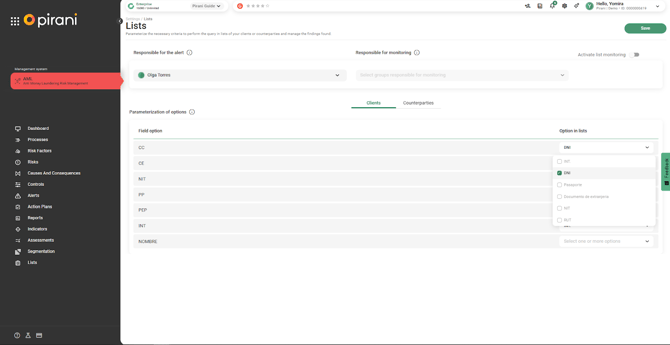
In Pirani, the Lists section enables a more comprehensive due diligence process by facilitating the identification of clients, counterparties, and users at an international level through integration with sanctions lists, helping determine whether an individual or entity represents a risk or requires differentiated treatment.
→ This functionality is available starting from the Starter plan, through the purchase of an AML system add-on, with consultation packages tailored to your needs.
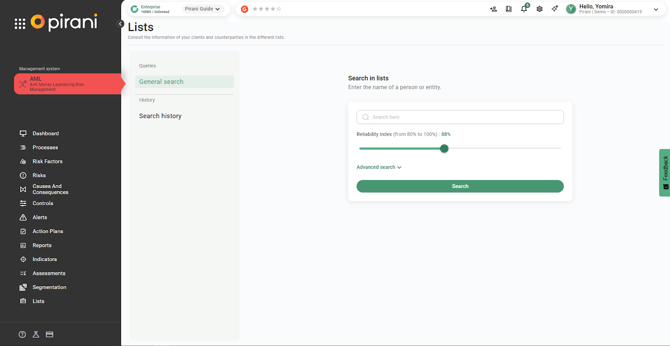
How to search in Lists?
List screening has been optimized to make the process easier:
- It is not necessary to have the type or number of identification.
- Searches are performed by name, allowing for international screenings.
- Searches are not limited to individuals; you can also screen companies, vessels, aircraft, and countries included in sanctions or watchlists.
How does the confidence score work?
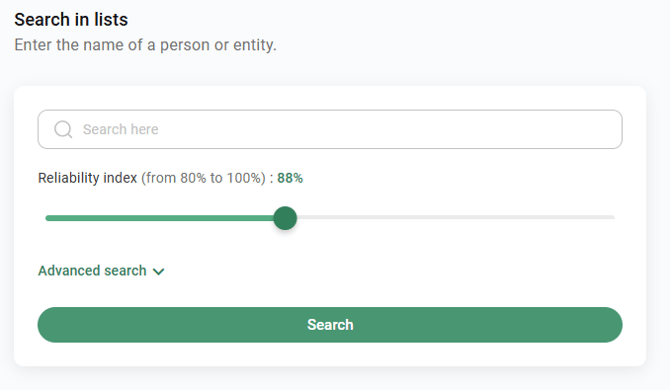
The confidence score defines how strict the match between the searched name and the results found in the lists will be. It is mainly used when the search is performed by name.
Example:
- If the score is set to 100%, the system will return only exact matches.
- If a lower value is selected (by default 88%), the platform allows name variations in order to identify additional potential matches.
How does advanced search work?
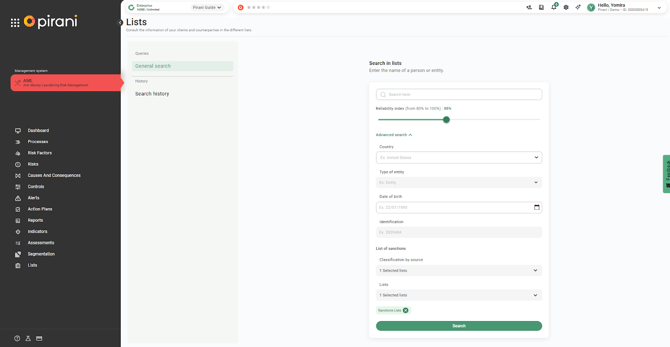
Advanced search allows you to obtain more accurate results by complementing the query with additional information.
All fields are optional and can be completed based on the information available:
- Country: allows you to search lists from a specific country.
- Identity type: you can choose between individual, entity, vessel, aircraft, or country.
- Date of birth: if available, including the date helps improve the accuracy of the results.
- Identification: if you have the individual’s identification number, including it ensures the results correspond to the specific person.
How do sanctions lists work?
Within the search, you can classify sanctions lists using different criteria to adjust the scope of the results.
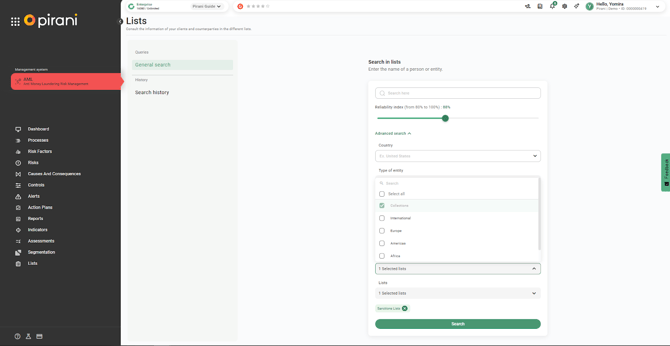
Source classification
You can select all sources or filter the search by regional packages:
- International
- Europe
- Americas
- Africa
- Asia–Oceania
List collections
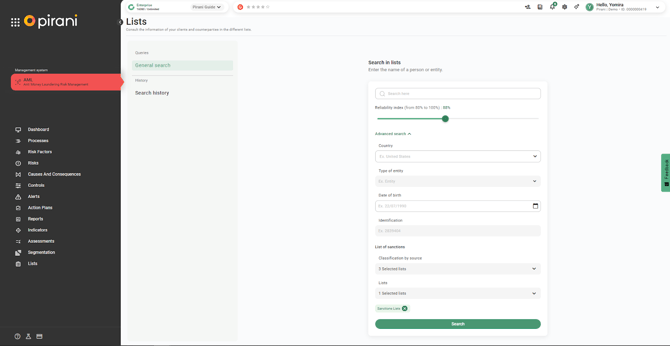
Once you select the Lists field, you can choose between different collections based on the purpose of your search, or select all of them:
- PEP lists
- Criminal lists
- High-risk jurisdictions
Types of lists
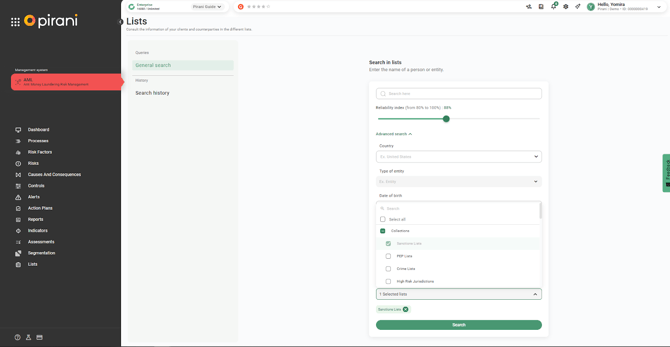
When selecting the Lists field, you can define the scope of your search based on the type of information you need:
- PEP lists: include politically exposed persons, as well as their relevant associates and close family members.
- Criminal lists: contain individuals or entities linked to criminal activities.
- High-risk jurisdictions: identify countries or territories with higher AML/CFT risk.
Note:
PEP lists are generally for reference purposes, while criminal lists and high-risk jurisdictions typically carry a negative risk connotation.
Search results
Once you complete the information and select “Search”.
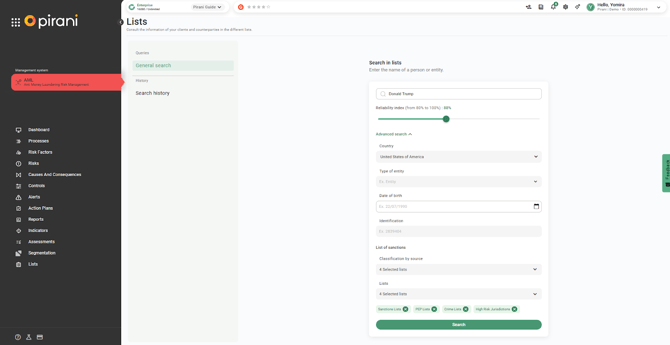
The system:
- Processes the search by categories.
- Displays the number of lists screened and the results found.
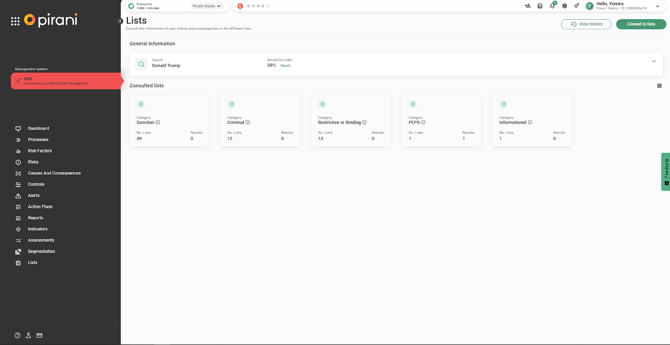
When accessing each category, you will be able to view:
- The name of each list within that category in which the user was screened.
- Whether a match was found in that source, including any supporting details. Results are also displayed in tables, showing both informational findings and sources with no matches.
If a key source appears as unavailable, we recommend trying again later to allow the list to become operational.
To further review a list and its results, click on the list of interest. There you will find links, documents, and additional information that help expand and support decision-making regarding how the screened user should be handled.
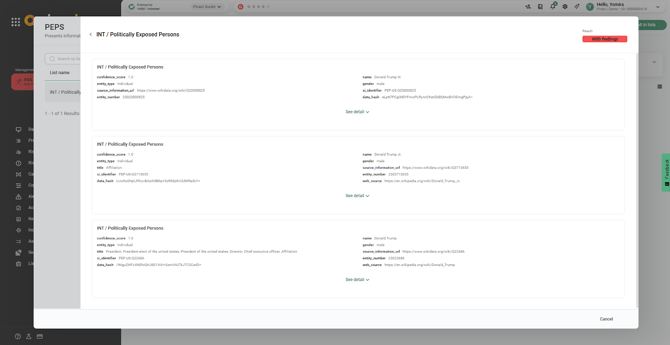
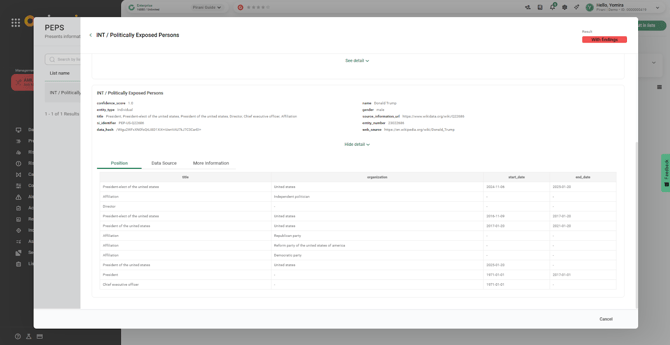
You can also select “View details” to see more information.
How can I review previously managed searches?
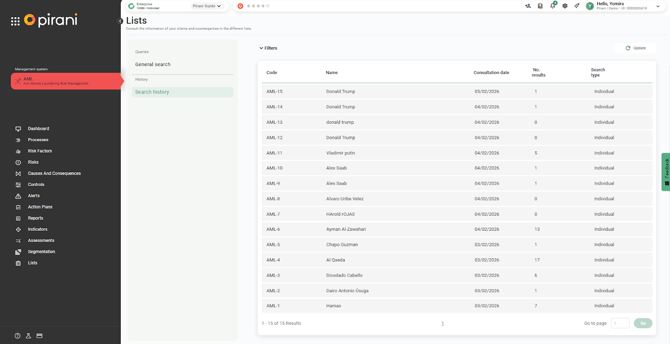
Within the Lists section, go to the right-hand side and click the “Search history” button. There you will find all searches performed, along with their corresponding dates.
Additionally, you can see whether the screened users are clients or counterparties, the number of matches found, and the type of search.
How does batch list searching work?
- Select “New Search”.
- Upload or drag your CSV file, or download the template.
Template Fields
The template includes the following fields:
- Name
- Country
- Entity Type: Can be individual, entity, vessel, aircraft, or country.
- Date of Birth: Format DD/MM/YYYY.
- Identifier: Identity document.
- Data Source: Sanctions lists (PEP Lists, Crime Lists, High-Risk Jurisdictions).
- Confidence Score: The reliability index defines how strict the match will be between the searched name and the results found in the lists. This is mainly used when searching by name. It can be set between 80% and 100%.
*Important: To perform the minimum query, you must complete the Name column, where you should enter the first and last name of the person being searched (if the entity type is “individual”).
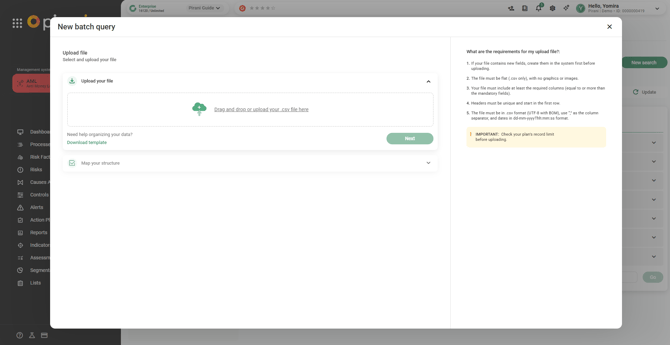
Select “Next”.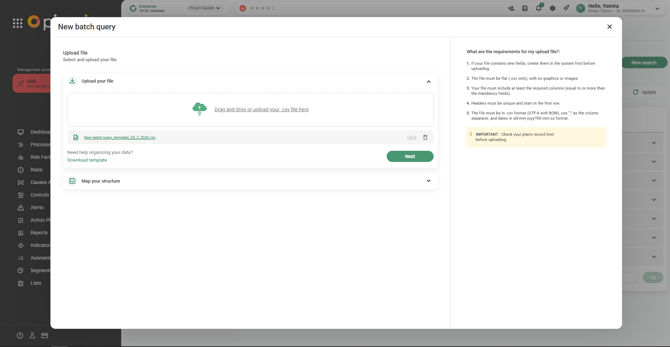
Map your structure by selecting the form fields, starting with the Name field, which is mandatory.
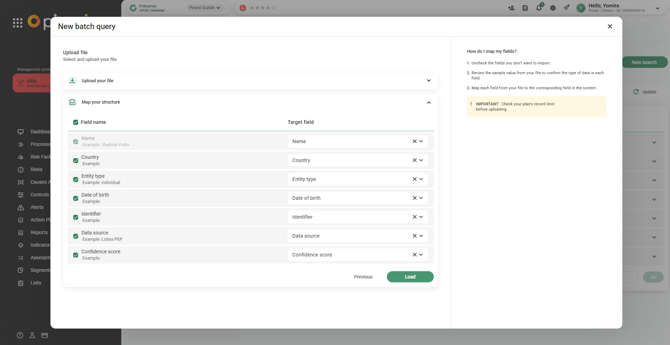
Select “Upload”.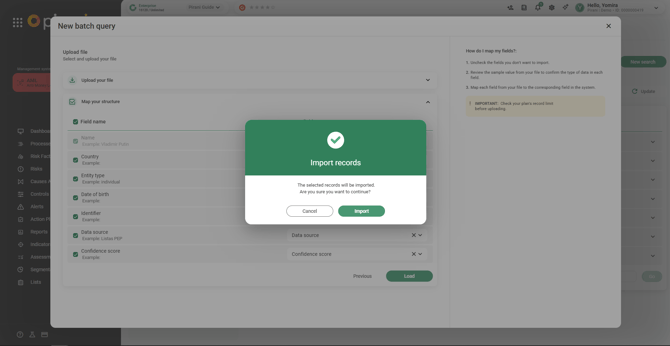
Search Results
The system will process the file and display the status as either “In Progress” or “Completed”:
- The number of records that were successfully queried.
- The history of bulk queries performed.
- The results found in the selected lists.
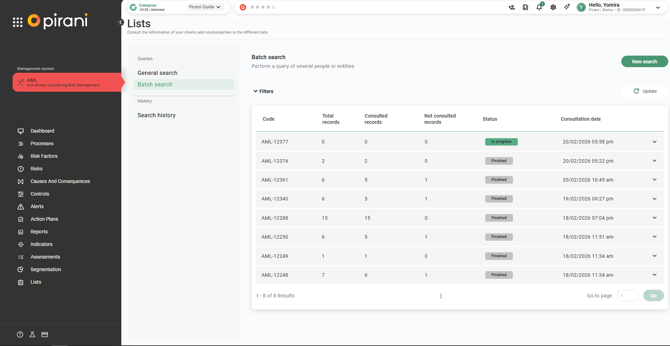
You will also be able to view:
- The queries that were performed.
- Any errors that occurred during the queries.
- Detailed information for each record queried.
- The user who performed the search.
File Details
- Total: Total number of records uploaded.
- Queried: Number of records processed successfully.
- Not Queried: Records with errors. You can download a file to view the error details.
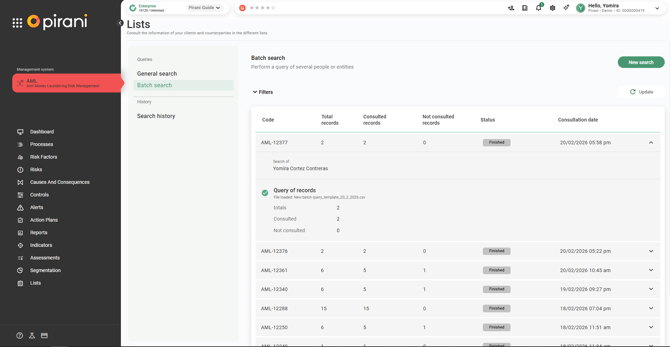
Search History
In the “Search History” tab, all performed queries will appear along with their corresponding information.
If you want to view the details for a specific person, select them to access all available information.
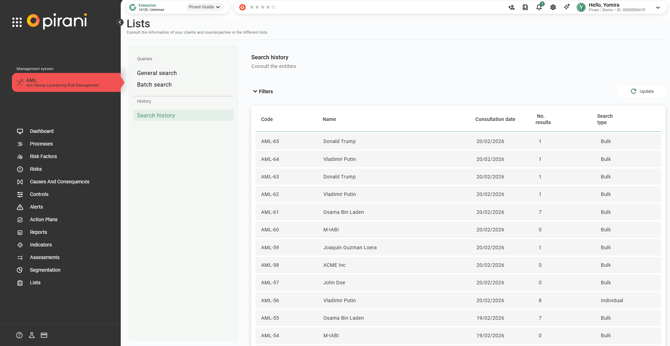
How do I configure Lists?
To integrate the Lists module with risk factors and alerts, it is necessary to perform a configuration that aligns the data displayed in list results with the field names used within your organization, and to assign a responsible user who will be notified of alerts generated from the Lists module.
To do this, click the gear icon in the top bar, select the AML system, and then click on the Lists section.
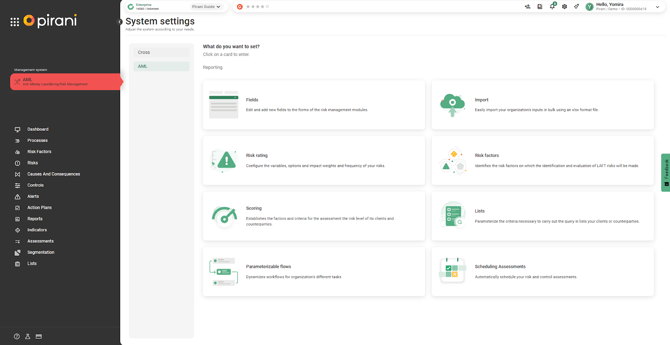
Here you can select the person responsible for managing the alerts generated from the Lists section and indicate that the data shown in list matches corresponds to a field within the risk factors section.
For example, you can specify that a person’s national ID is the same as a DNI, allowing the tool to correctly understand and align the data found with existing information.